About prices:prices on this page are US street prices in USD, last checked October 2026. They are for reference only. Local prices differ by region and usually include VAT or sales tax, and availability changes quickly, so check the retailer before you buy.
A solid AI workstation in 2026 needs an NVIDIA RTX GPU with 16GB+ VRAM (RTX 5070 Ti or better), an 8+ core CPU (Ryzen 7 9700X or up), 64GB DDR5 RAM, and a 2TB NVMe SSD. With the 2026 GPU and memory shortage, expect about $3,700 to $4,800 for a single RTX 5080 build and $13,000+ for an RTX 5090 Threadripper flagship, or about $3,500 if you build around a used RTX 3090. This guide covers every component choice, complete builds at each budget, and prebuilt options if you’d rather not assemble it yourself.
Quick Navigation:
GPU
Core of Your Rig
The GPU is absolutely king when it comes to AI workloads. Your GPU choice will determine 80% of your system’s AI performance.
Haven’t chosen a GPU yet? Our best GPU for deep learning guide has picks by budget at current street prices, and the GPU spec comparison lists full specs.
Top GPU Picks for Late 2026
GPU prices rose sharply through 2026 because of a GDDR7 memory shortage, so the right pick depends on your budget more than usual. Street prices below were rechecked in October 2026.
Fastest Single GPU
NVIDIA RTX 5090 32GB
32GB GDDR7 at 1,792 GB/s. The only new consumer card with 32GB, now selling for around $5,000 against a $1,999 MSRP.
✓ Daily training, 30B+ modelsBest VRAM per Dollar
Used NVIDIA RTX 3090 24GB
24GB and 936 GB/s for roughly $1,200 to $1,450 used. No FP8, but two of them give you 48GB for 70B models at 4-bit.
✓ Local LLMs, multi-GPU on a budgetBest New-Card Value
NVIDIA RTX 5070 Ti 16GB
16GB GDDR7 at 896 GB/s for around $1,150. Handles QLoRA up to about 13B and most image generation.
✓ Learning, fine-tuning small modelsHuge Models, Lower Speed
Unified memory systems
Mac Studio, Ryzen AI Max, and DGX Spark share one large memory pool between CPU and GPU, so they load models no consumer card can. See our unified memory guide.
✓ Inference on 70B+ modelsPro Tip: Always balance GPU performance with VRAM size. For training large models, 24GB+ VRAM is becoming the new baseline in 2026.
CPU
Don’t Bottleneck the Beast
While the CPU doesn’t need to be extreme, it must handle data preprocessing, multi-GPU coordination, and system orchestration without becoming a bottleneck.
CPU Recommendations by Use Case
| CPU | Cores/Threads | Best For | Price Range |
|---|---|---|---|
AMD Threadripper 9980X TRX50 platform, up to 88 PCIe lanes | 64C/128T | Multi-GPU rigs, HPC workloads | $4,999 MSRP |
AMD Threadripper 9960X Excellent multi-GPU support | 24C/48T | Workstation builds, multi-GPU | $1,499 MSRP |
AMD Ryzen 9 9950X Great price/performance | 16C/32T | Single-GPU builds, enthusiasts | $649 MSRP |
Motherboard
PCIe Lanes Matter
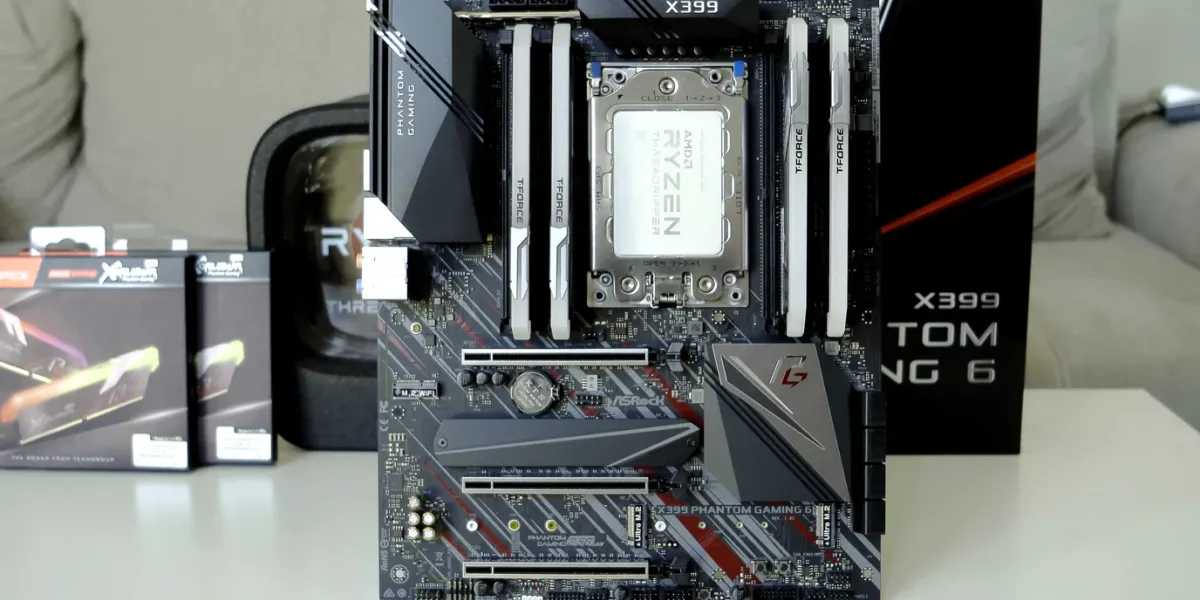
Your motherboard determines how many GPUs you can install and how they communicate with the CPU. Specific AM5, TRX50, and WRX90 boards are compared in our best AI workstation motherboard guide.
Single GPU Systems
Any modern ATX board with PCIe 5.0 x16 slot works perfectly
Multi-GPU Systems
Workstation/server boards with multiple PCIe 5.0 x16 slots required
Key Motherboard Features for AI Workstations
PCIe 5.0 Support
Essential for maximum GPU bandwidth
Bifurcation Support
Split one x16 slot into multiple x8 slots (with performance trade-offs)
ECC Memory Support
Optional but valuable for long training runs
Memory
(RAM): Feed the GPUs
Deep learning is RAM-hungry when datasets are preloaded, augmented, or when running multiple training processes simultaneously.
RAM Configuration Guidelines
Minimum for AI workstations, handles most single-GPU workflows
Ideal for large datasets, multi-GPU setups, and heavy preprocessing
For production systems and maximum reliability
Storage
Fast Data = Faster Training
Model training is I/O intensive. Your storage setup can become a significant bottleneck if not properly configured.
Storage Hierarchy for AI Workstations
Primary Drive (OS + Active Data)
2-4 TB NVMe Gen4/Gen5 SSD
Store OS, current projects, and frequently accessed datasets
Secondary Storage (Archive)
8-16 TB SATA SSDs or Enterprise HDDs
Store completed models, backup datasets, and archival data
Enterprise Setup (Optional)
NVMe RAID 0 Arrays
For streaming massive datasets at scale (10GB/s+ throughput)
Power Supply (PSU)
Modern GPUs are power-hungry beasts. A quality PSU is not optional, it is critical for system stability and component longevity.
PSU Sizing Guide
Single GPU Builds
Multi-GPU Builds
⚠️ Important: Always buy from reputable brands (Seasonic, Corsair, Supermicro, EVGA). A failing PSU can damage your entire system.
Cooling
AI workloads run 24/7 under full load. Proper cooling ensures sustained performance and component longevity.
Cooling Strategy by Component
🖥️ CPU Cooling
Air Cooling
Suitable for lower-core CPUs with good case airflow
- • Noctua NH-U12A (mid-range)
- • be quiet! Dark Rock Pro 4
AIO Liquid Cooling
Recommended for high-core CPUs (Threadripper/Xeon)
- • Arctic Liquid Freezer II 360
- • Corsair H150i Elite Capellix
🎮 GPU Cooling
Single GPU
Open-air cards work well with proper case ventilation
Multi-GPU
Reference blower GPUs prevent heat buildup between cards
Sample Builds
Build totals below are estimates at October 2026 prices. GPU, DDR5, and SSD prices are moving fast (registered ECC memory for Threadripper now costs over $1,000 per 32GB module), so price each part yourself before ordering.
Student/Enthusiast Build
around $4,200 to $4,800Professional Researcher
$13,000+Enterprise Multi-GPU
$40,000+Not Ready to Commit $13,000? Rent the Workload First
Before spending workstation money at today’s inflated hardware prices, run your actual workload in the cloud for a few weeks and see what you really need. On Vast.ai an RTX 4090 costs around $0.45/hr: even 30 hours a week is under $60/month, so a full year of heavy use costs less than a fifth of the Professional Researcher build above. If it turns out 16GB of VRAM is enough, you just saved thousands.
RunPod is the easier managed option (new users get a $5 credit through our link), and our cloud GPU comparison covers the rest.
Referral links: signing up supports TensorRigs at no extra cost to you.
Prebuilt vs. DIY
Choose Your Path
🔧 DIY Build
🏪 Prebuilt System
🔗 Need More Options? Check out our curated Systems page for recommended builds and preconfigured workstations from trusted vendors.
FAQ
How do I build an AI workstation?
Pick the GPU first, since VRAM decides which models you can run. Then choose a platform with enough PCIe lanes for your GPU count (AM5 for one GPU, Threadripper TRX50 for two to four), add system RAM of at least twice your total VRAM, a fast 2TB+ NVMe SSD, and a PSU with 30 to 40% headroom over your GPUs’ combined power draw.
How much does an AI workstation cost in 2026?
At late-2026 prices, a single RTX 5080 or 5070 Ti build with 64GB of RAM runs about $3,700 to $4,800, and an RTX 5090 workstation on Threadripper is $13,000 or more, mostly because the RTX 5090 alone now sells for around $5,000. A used RTX 3090 build comes in at around $3,500.
What is the most important part of an AI workstation?
The GPU, and specifically its VRAM. It decides which models fit and drives most training and inference speed. The CPU, RAM, and storage mainly need to be fast enough not to starve the GPU.
Is it better to build or buy a prebuilt AI workstation?
Building saves money and lets you choose every part, which matters at 2026 GPU prices. Prebuilts from vendors like Puget Systems or Lambda cost more but include validated cooling, power, and support, which is worth it for a lab or business that can’t afford downtime.
Final Thoughts
Building Your AI Workstation: Key Takeaways
💡 Essential Principles
GPU First: Choose your GPU, then build around it
Balance Components: Avoid bottlenecks in CPU, RAM, or storage
Plan for Growth: Leave room for more VRAM and PCIe lanes
Cooling Matters: 24/7 workloads demand serious thermal management
🚀 2026 Trends
VRAM is King: 24GB+ becoming standard for serious work
DDR5 Standard: 64GB+ RAM configurations are the norm
PCIe 5.0 Adoption: Maximum bandwidth for next-gen GPUs
Power Efficiency: Modern PSUs with better efficiency curves
Building an AI workstation in 2026 is about smart component selection and system balance. Your GPU choice sets the foundation, but the surrounding components ensure stability, performance, and longevity.
Related Reading
Fix CUDA Out of Memory in PyTorch
10 solutions to the most common training error
PyTorch vs TensorFlow vs JAX
Choose the right framework for your rig
Docs: Hardware Setup Guide
BIOS, OS, and driver setup after the build
Docs: Training Optimization
Get the most performance out of your new rig
How Much RAM for Local LLMs
RAM requirements for 7B to 70B+ models
Best CPU for AI Workstations
PCIe lanes, core counts, consumer vs HEDT
Best NVMe SSD for AI Storage
PCIe 5.0 vs 4.0 and capacity guide
Ready to Build Your AI Rig?
Need help deciding? Our curated recommendations take the guesswork out of component selection.